
AWS GovCloud vs Azure Government: the defense contractor's guide to choosing the right cloud architecture
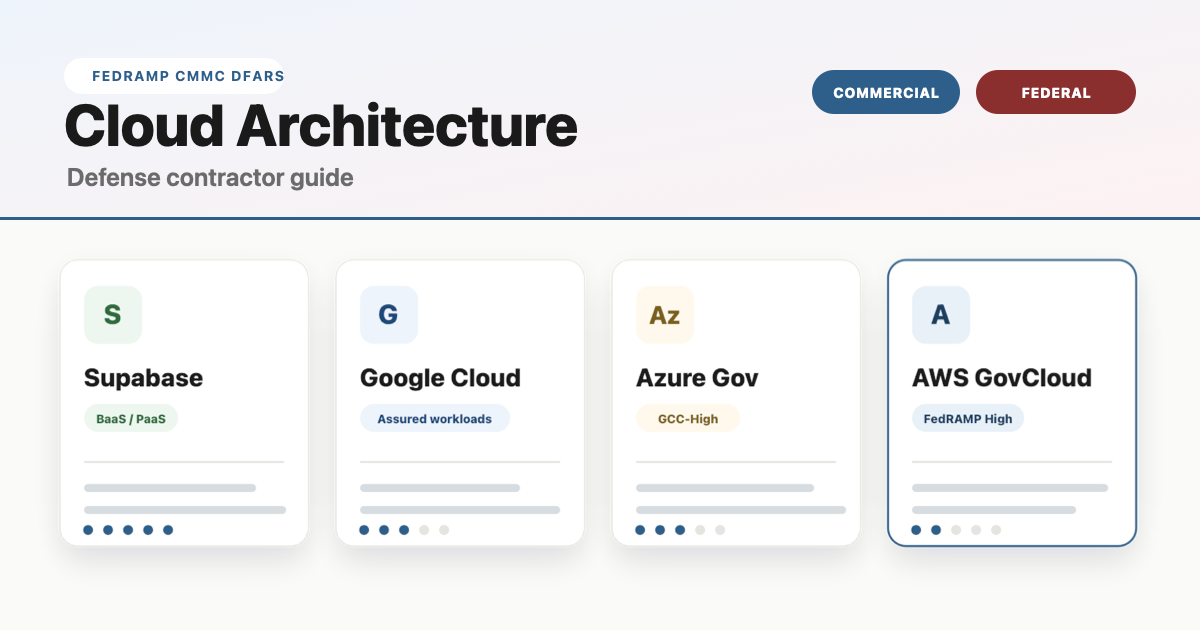
If you're a defense contractor trying to figure out the difference between Netlify, Supabase, AWS GovCloud, and Azure Government — and whether "federal compliance" actually means "more secure" — this guide lays it out in plain English with an interactive comparison you can toggle between commercial and federal views.
Supabase
Backend-as-a-Service. Managed database, auth, and APIs — built on AWS.
Google Cloud
Strong in data, ML, and analytics. Uses policy-based "Assured Workloads" instead of isolated regions.
Microsoft Azure
Deep Microsoft ecosystem. Best for organizations already on M365, Teams, and Active Directory.
Amazon Web Services
Broadest service catalog. Most mature gov cloud. The infrastructure Supabase, Netlify, and Vercel run on.
What the industry actually calls these things
Before diving into the comparison, let's clear up the terminology that trips up most people — even experienced operators.
Deployment platforms (Netlify, Vercel)
Netlify and Vercel are frontend deployment platforms — sometimes called "frontend clouds." They automate the process of taking your code from Git and making it live on the internet. Push code, site is live in under two minutes. No server management required.
The industry calls this capability CI/CD — Continuous Integration and Continuous Deployment. CI/CD is the pipeline mechanism. GitHub Actions is pure CI/CD. Netlify and Vercel bundle CI/CD with hosting, a global CDN, and serverless functions into one product.
Netlify and Vercel are excellent for commercial SaaS products. They are not FedRAMP authorized and cannot host workloads involving Controlled Unclassified Information (CUI). If your web app touches government data, these platforms are off the table.
Backend-as-a-Service (Supabase)
Supabase provides a managed database, authentication, storage, and APIs — all without managing servers. It runs on top of commercial AWS infrastructure. Think of it as the backend counterpart to Netlify: Supabase handles your data layer, Netlify or Vercel handles your frontend.
Supabase holds SOC 2 and HIPAA compliance certifications but does not have FedRAMP authorization or a GovCloud offering.
Full cloud providers (AWS, Azure, GCP)
AWS, Microsoft Azure, and Google Cloud Platform (GCP) are full Infrastructure-as-a-Service (IaaS) providers. They offer everything from virtual machines and databases to AI/ML services and container orchestration — hundreds of services that you configure and manage yourself. Greater control, greater complexity.
Critically, AWS and Azure both operate physically isolated government cloud regions — AWS GovCloud and Azure Government — that are FedRAMP High authorized and cleared for CUI, ITAR, and DoD workloads.
Federal compliance vs commercial: what actually changes
The distinction between "commercial cloud" and "government cloud" confuses a lot of people because the underlying technology is the same. The difference isn't about encryption strength or firewall quality — it's about restrictions, isolation, and provability. Use the toggle above to see how each platform shifts.
Commercial cloud environments
All four platforms listed above are secure in their commercial configurations. They encrypt data at rest and in transit, manage access controls, undergo third-party audits (SOC 2, ISO 27001), and employ dedicated security teams. For commercial SaaS products, e-commerce, marketing sites, and internal tools that do not handle government-controlled data, commercial cloud is the right choice — faster to deploy, lower cost, fewer restrictions.
Who should use commercial cloud: SaaS companies, startups, agencies, e-commerce businesses, and any organization whose data does not fall under DFARS, ITAR, EAR, or other federal data-handling requirements.
Federal compliance environments
Government cloud environments add layers of restriction on top of the same underlying security technology. These restrictions exist to satisfy federal audit and certification requirements — not because commercial cloud is insecure.
What changes in a federal compliance environment:
- Physical isolation: Separate data centers from commercial cloud. Your data does not share infrastructure with commercial customers.
- Personnel restrictions: All operators are US citizens who have passed background investigations.
- Data residency: All data stored exclusively on US soil.
- Continuous monitoring: Aligned to NIST 800-53 controls with ongoing audit logging and reporting.
- Access restrictions: GovCloud accounts require eligibility verification (CAGE code, ITAR registration, etc.).
Who must use federal cloud: Defense contractors handling CUI under DFARS 252.204-7012, organizations pursuing CMMC Level 2 or higher, ITAR/EAR-regulated manufacturers, and federal agencies.
Azure GCC-High vs AWS GovCloud: head-to-head for defense contractors
If your organization handles Controlled Unclassified Information (CUI), the real decision comes down to these two platforms. Both are FedRAMP High authorized. Both support CMMC Level 2. The difference is what you're building and what tools your team already uses.
| Azure GCC-High | AWS GovCloud (US) | |
|---|---|---|
| Compliance coverage | ||
| FedRAMP level | High | High |
| DoD impact levels | IL2 - IL6 | IL2 - IL5 (IL6 via Secret regions) |
| CMMC Level 2 | Built-in Defender + Purview mapping | Supported via 3rd-party tooling + IaC |
| ITAR / EAR | ✓ | ✓ |
| Data residency | US-only, isolated Azure Gov data centers | US-only, physically isolated AWS regions |
| Best-fit workloads | ||
| Email, Teams, SharePoint | Native M365 GCC-High. This is Azure's decisive advantage for the DIB. | ✕ No equivalent. You still need GCC-High for collaboration. |
| Custom web applications | Azure App Service, Functions. Solid but smaller catalog. | 200+ services. Lambda, ECS, EKS, Amplify. Broadest catalog in gov. |
| Containers / Kubernetes | AKS available in Gov regions. | EKS + Fargate. More mature, more instance types. |
| DevSecOps / CI/CD | Azure DevOps in Gov. Integrated but less flexible. | CodePipeline, CodeBuild + deep Terraform ecosystem. |
| AI / ML | Azure OpenAI in Gov (limited models). | SageMaker, Bedrock. Broader model availability. |
| Windows workloads | Azure Virtual Desktop. Seamless Entra ID + Intune integration. | WorkSpaces available but less integrated identity story. |
| Identity / Zero Trust | Entra ID + Conditional Access + Intune. Unified stack. | IAM + 3rd-party integration. More assembly required. |
| Cost for small contractors | ||
| Pricing model | Per-user licensing (monthly) | Consumption-based (pay for what you use) |
| Entry-level cost | ~$36/user/mo (Business Premium) + $24 CMMC add-on = $60/user/mo | Variable. ~5-25% premium over commercial AWS. No per-user fee. |
| Full CMMC-ready tier | $93/user/mo (G5 — includes Defender + Purview) | Infrastructure cost + tooling. Terraform + 3rd-party security stack. |
| Upcoming price changes | July 2026: G3 +8%, G5 +5% | Consumption-based, varies by service |
| Onboarding | ||
| Setup process | Eligibility validation (CAGE code) → new M365 tenant → data migration | Separate AWS account → landing zone architecture → security config |
| Time to compliant | 4-8 weeks (with a partner) | 6-12 weeks (landing zone + security config) |
| DIY difficulty | Medium. Microsoft handles infra; you configure policies. | High. You own the full stack. IaC expertise needed. |
| Feature parity with commercial | Lag — new M365 features arrive months later in GCC-High | Lag — new AWS services take months to reach GovCloud |
Most defense contractors run both. Azure GCC-High handles collaboration (email, Teams, SharePoint, endpoint management via Intune), while AWS GovCloud handles custom application workloads, data processing, and DevSecOps pipelines. This is not an either-or decision — it's a workload allocation decision.
Is one more secure than the other?
This is the most common misconception in the Defense Industrial Base, so let's address it directly.
No. Federal cloud environments are not "more secure" than commercial cloud. They are more restricted.
A well-architected application on commercial AWS with proper encryption, role-based access controls, audit logging, and vulnerability scanning is functionally just as hard to breach as the same application running in GovCloud. The cryptographic algorithms are identical. The firewall technology is the same. The security engineering practices are equivalent.
What GovCloud adds is the compliance paperwork trail — the physical isolation, personnel screening, data residency guarantees, and continuous monitoring documentation that a CMMC assessor, contracting officer, or inspector general needs to see. You're paying for certification, not better locks.
Using AWS GovCloud or Azure Government does not, by itself, make your application CMMC compliant. These platforms provide the compliant infrastructure foundation, but application-level controls, your System Security Plan (SSP), continuous monitoring, and assessment readiness are your responsibility. Infrastructure authorization and application authorization are separate gates.
Our take: what we recommend for small defense contractors
At Matlock LLC, we operate as a government contracting firm running concurrent FFP contracts while also building commercial software products. We live at the intersection of federal compliance and modern software development every day. Here's what we've learned.
The separation principle
Keep your commercial products and your government-compliant environment completely separate. Commercial SaaS products belong on modern deployment platforms (Supabase, Vercel, Netlify) where you can ship fast with zero compliance overhead. Government workloads that touch CUI belong in GCC-High and/or GovCloud with proper controls. Mixing these environments creates unnecessary complexity, cost, and risk.
If you're starting from zero
For a small defense contractor that needs to get CMMC Level 2 compliant, the fastest and most cost-effective first move is Microsoft 365 GCC-High Business Premium at approximately $60 per user per month (base $36 plus the $24 CMMC compliance add-on). This gets your collaboration stack — email, Teams, SharePoint, OneDrive — into a compliant environment immediately. Microsoft launched this tier in November 2025 specifically for small and mid-sized contractors who were previously priced out of GCC-High.
When to add AWS GovCloud
AWS GovCloud enters the picture when your contract requires hosting a custom application — a web portal, data processing pipeline, or government-facing system — on compliant infrastructure. GovCloud uses consumption-based pricing (no per-user fees), so you only pay for the compute, storage, and services you actually use. Plan for Terraform or CloudFormation to define your infrastructure as code, which both satisfies auditors and makes your environment reproducible.
For commercial products
Your commercial SaaS products — the ones that don't touch government data — should be deployed on the fastest, most developer-friendly platforms available. That means Supabase for your backend, Vercel or Netlify for your frontend, and zero time spent on compliance theater for products that don't need it. Ship fast, iterate fast, keep your compliance overhead where it belongs.